
Syncdrome: Organize and Access Your Files Efficiently
Source codeDownload v2.3.0
In the digital era, managing and locating files spread across multiple internal and external drives can quickly become chaotic. To solve this "digital Diogenes" challenge, I built Syncdrome: a desktop application crafted with Tauri (Rust backend + React frontend) that lets you index, browse, search, and organize files quickly—even when your drives are unplugged.
Binaries for Windows are available both as a standard .msi installer and a portable standalone .zip.
Instant Search and Previews
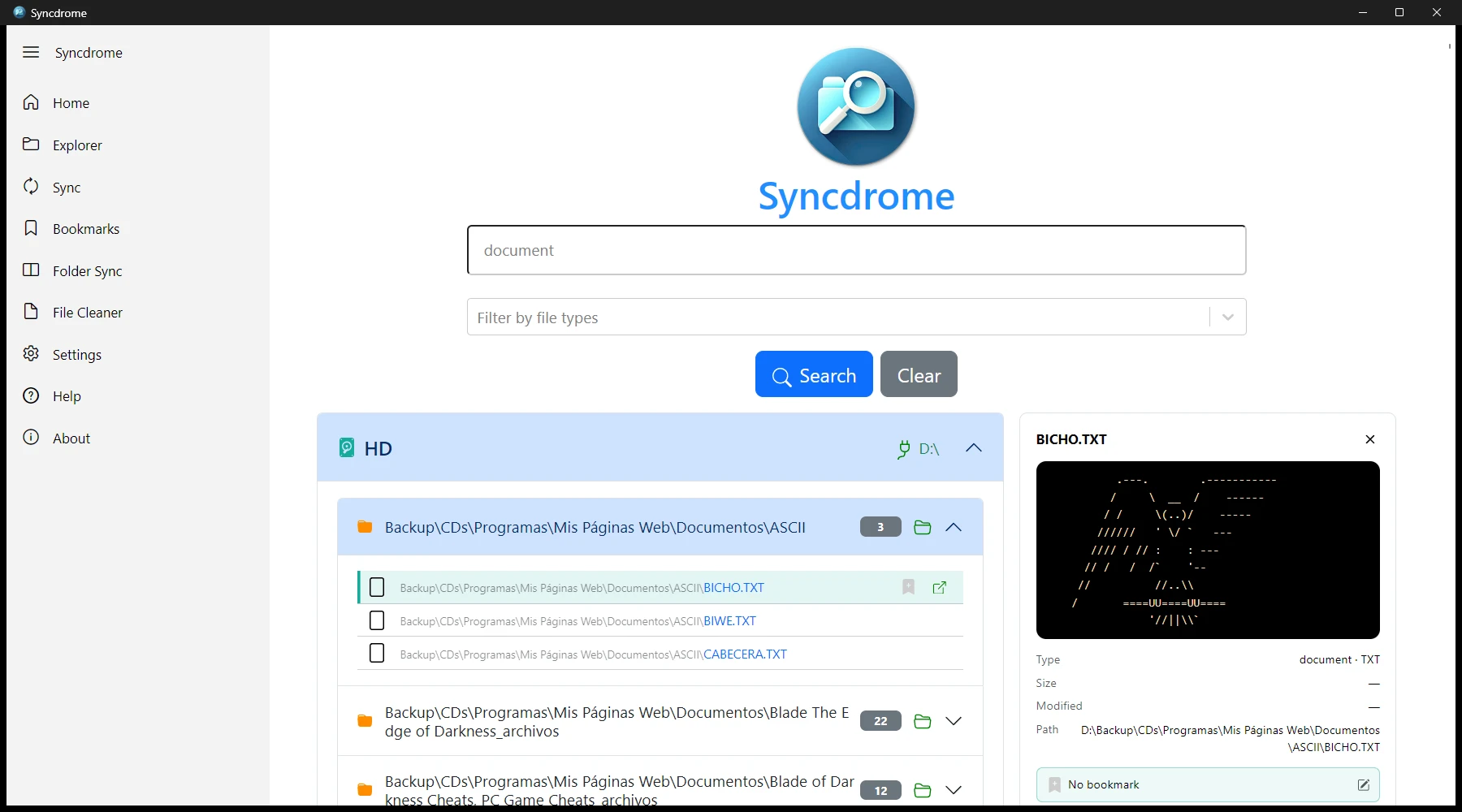
The core strength of Syncdrome is its rapid search engine operating across all your indexed drive catalogs:
- Global keyword search: find any file or folder in milliseconds across all catalogs.
- Grouped and prioritized results: connected volumes appear first (sorted by drive letter), followed by folders and matched files.
- File preview panel: clicking any result opens a side panel with full metadata and live previews for images, Markdown, text/code, PDF documents, video, and audio.
- Rich context menu: right-click to open files with the default system program, show the file in Windows Explorer, add to bookmarks, or copy file paths and names.
Drive Catalogs & Offline Sync (Sync)
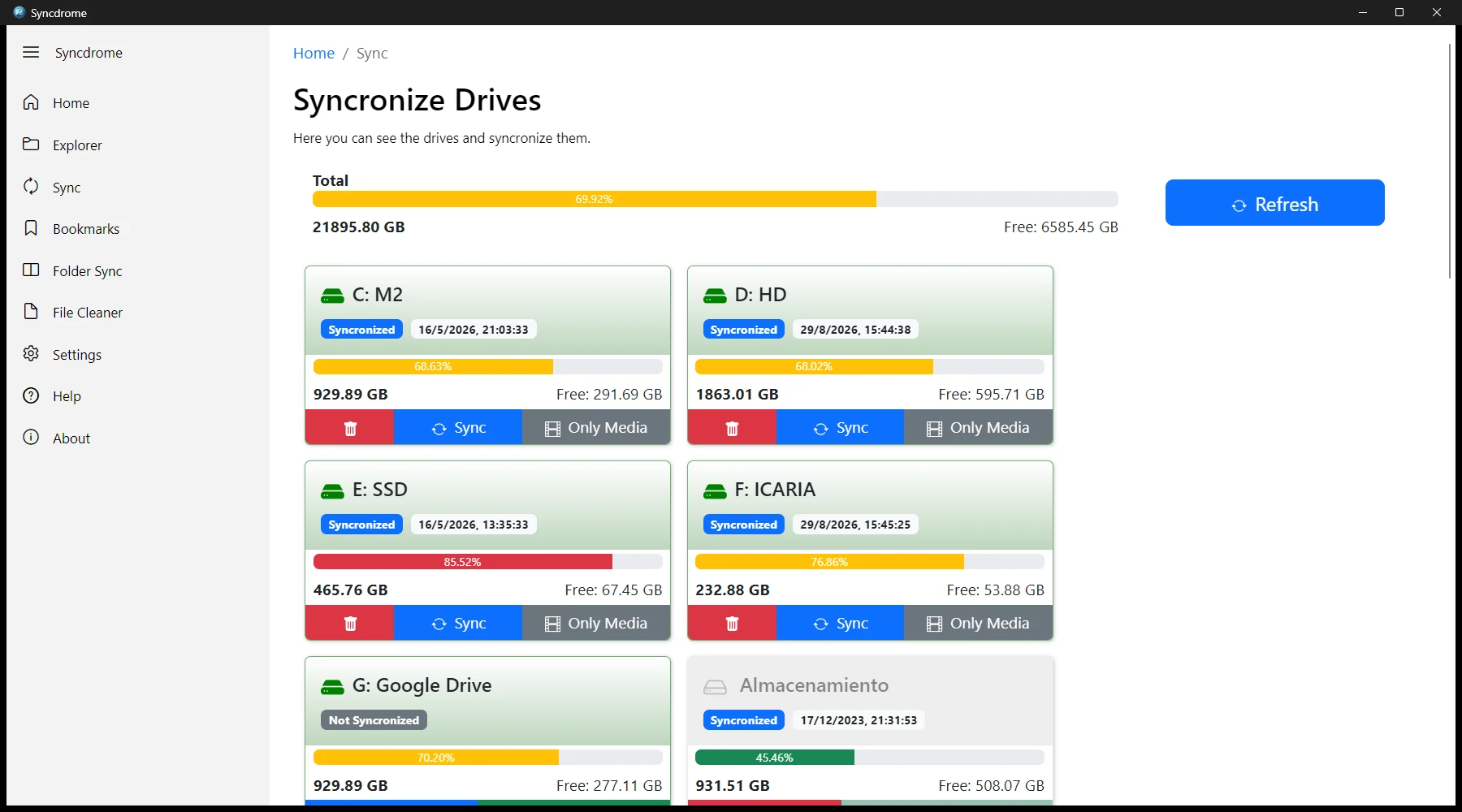
Search and browse your disk contents without having to plug every drive in:
- In the Sync section, the application detects all connected drives and generates an index in seconds.
- You can choose between cataloging the entire drive or restricting the index to multimedia files only.
- Catalogs are stored as structured plain text files. If a drive is retired or no longer needed, its catalog can be removed with a single click on the trash icon.
Synchronized Explorer (Explorer)
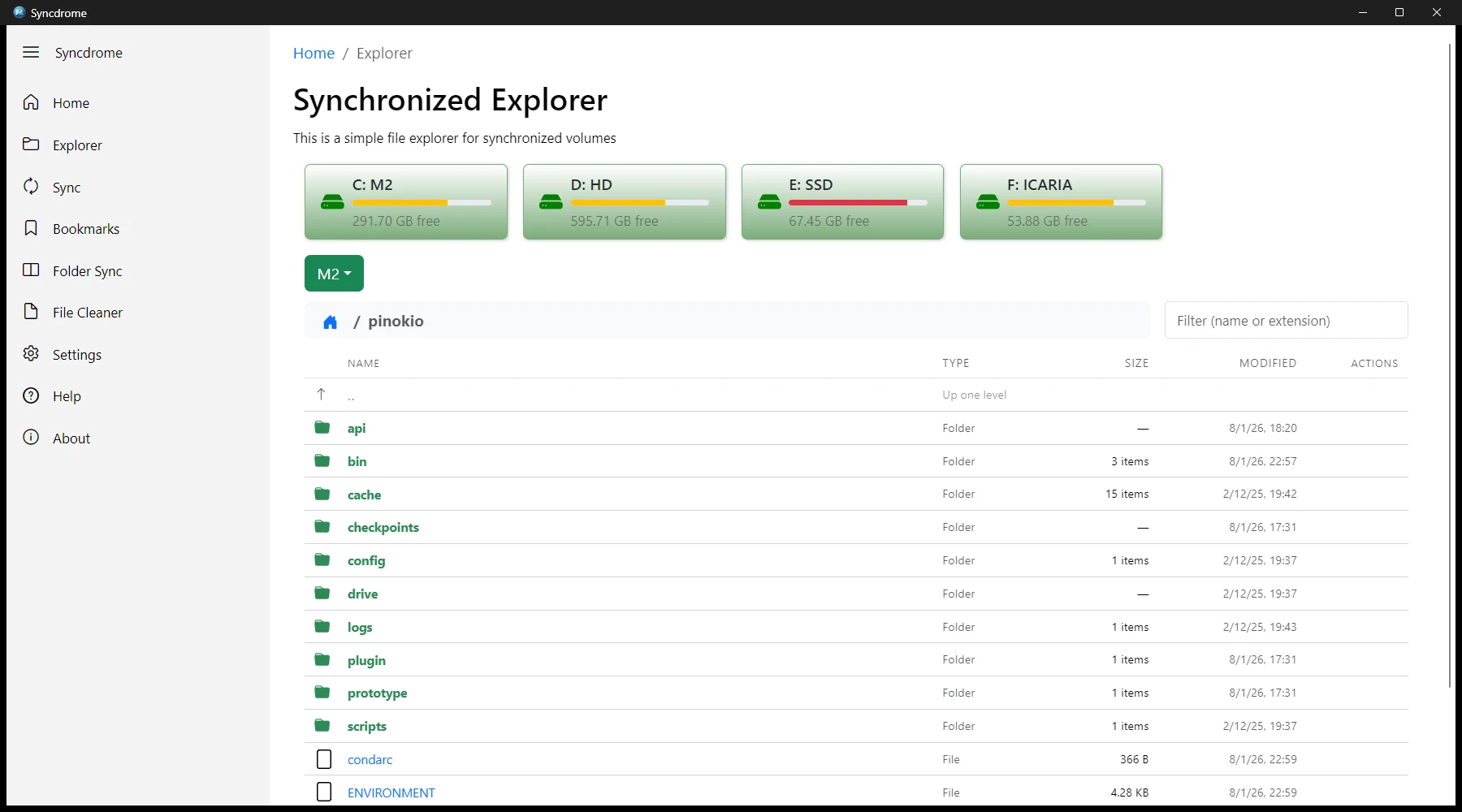
The Explorer provides a file manager interface across all synchronized volumes:
- Drive status cards: quickly view connected drives, free space, used capacity, and live status bars.
- Online & offline browsing: navigate folder trees on active drives with live metadata, or browse unplugged drives directly from their catalog.
- Live filtering: filter folder contents in real time by name or file extension.
- Embedded media previewer: inspect files with rich rendering, metadata inspection, and bookmark actions.
Bookmarks & Favorites (Bookmarks)
The Bookmarks view lets you bookmark key files and annotate them with custom notes and descriptions:
- Stored locally in an SQLite database (
db.sqlite) located in your working directory. - Automatically grouped by drive volume.
- Fast searching across titles and descriptions, drag-and-drop support, quick editing, and full context-menu integration.
File Name Cleaner (File Name Cleaner)
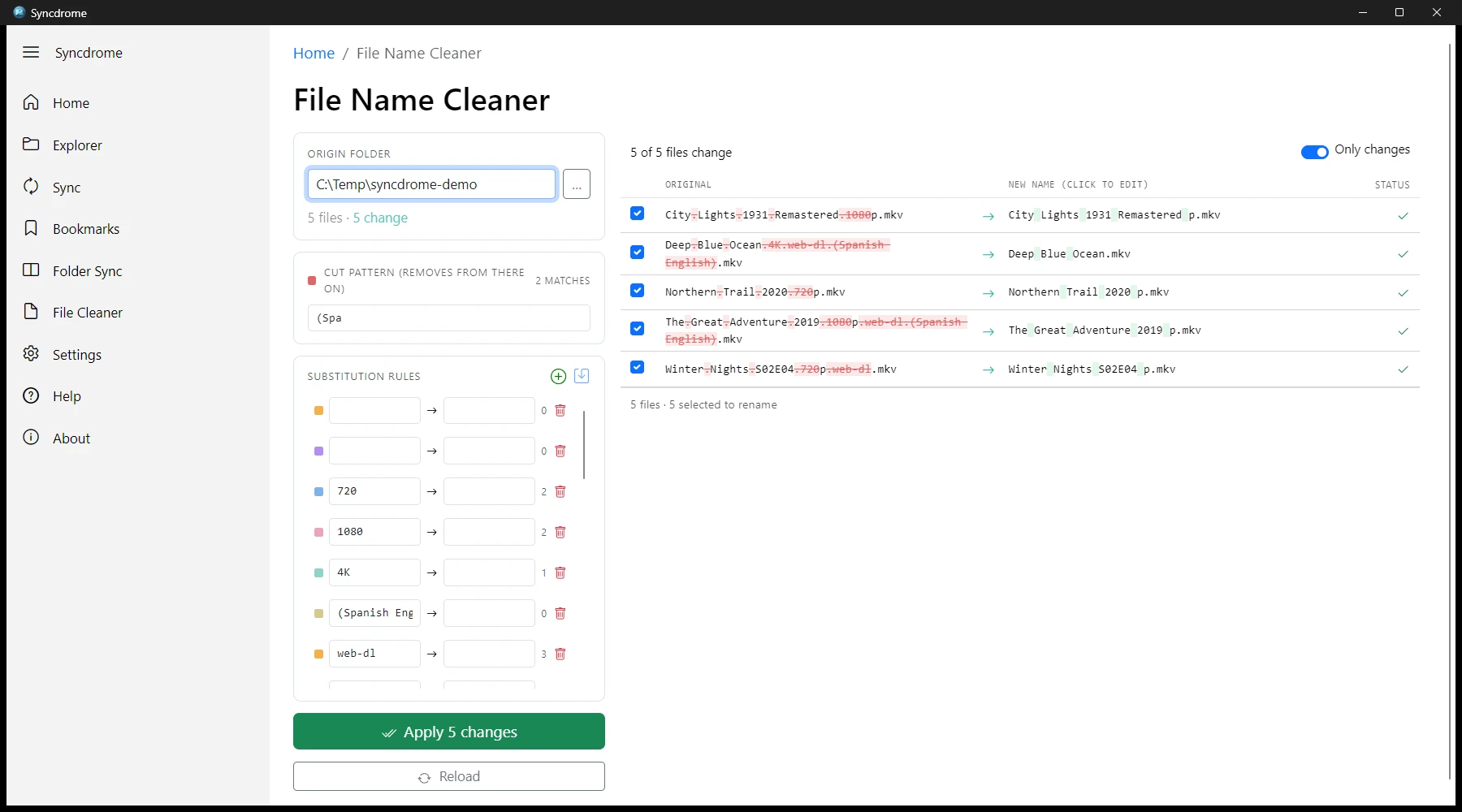
A batch renaming tool that cleans messy file collections using customizable recipes:
- Cut pattern: removes everything from the first match of a pattern (regex or literal string) to the end of the filename (ideal for stripping release tags and web suffixes).
- Ordered substitution rules: customizable find-and-replace rules with color badges and live match counters.
- Real-time visual diff: see exact additions (in green) and deletions (struck out in red) before applying changes.
- Safe by design: file extensions are strictly preserved, duplicate spaces are collapsed, trailing separators are trimmed, and filename collisions are flagged automatically.
Folder Sync (Folder Sync)
The Folder Sync utility mirrors a source folder to a destination path:
- Retains identical files, copies new/modified files, and prunes files deleted from the source.
- Live, turn-by-turn audit logging for every operation.
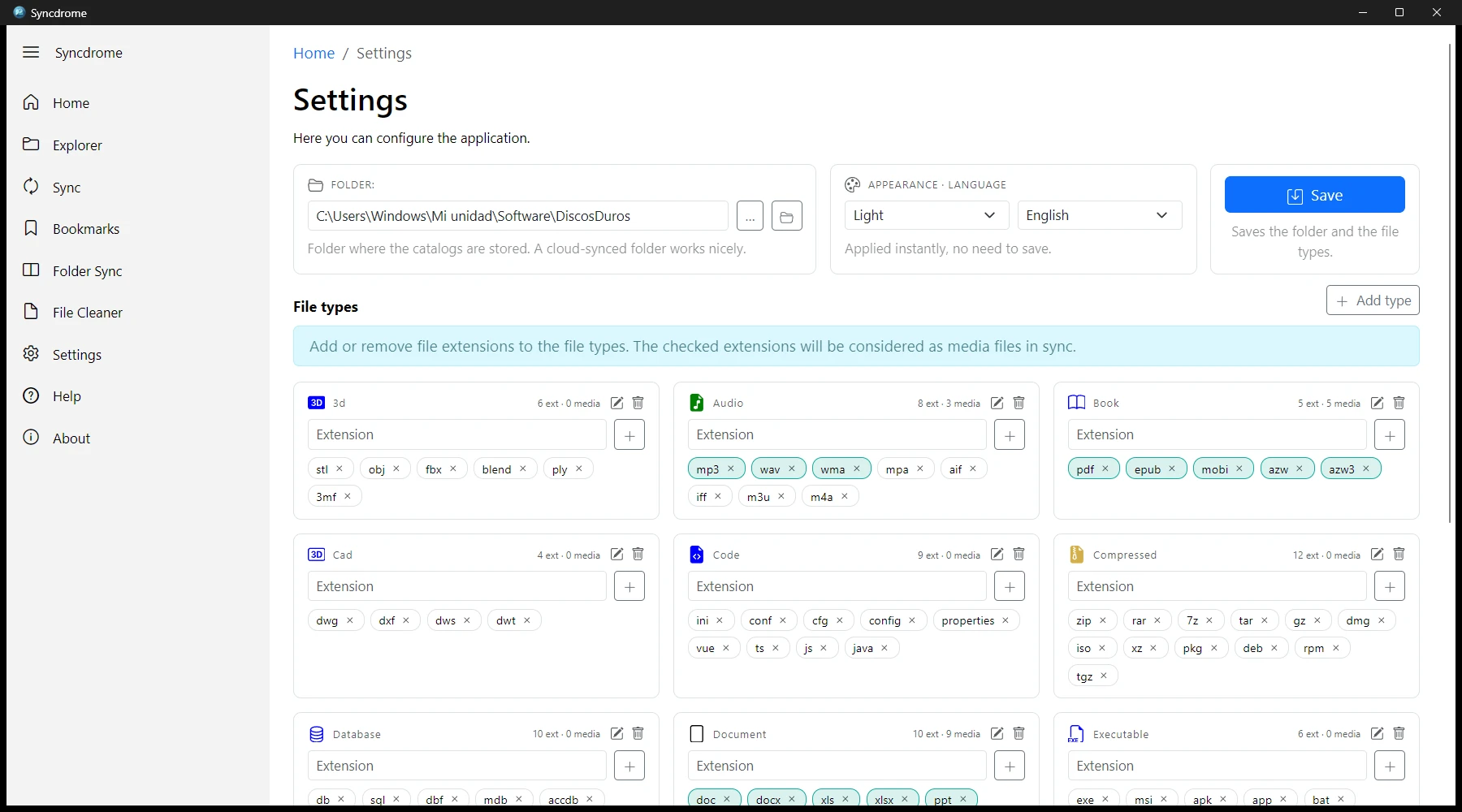
Custom Configuration (Settings)
Tailor the application to your personal workflow:
- Working folder: configure where catalogs and the SQLite database reside—ideal for placing in a cloud-synchronized folder (Dropbox, Google Drive, OneDrive) for multi-device access.
- Appearance & Language: instant switching between Light/Dark themes and English/Spanish interfaces.
- File types & extensions manager: create custom file categories, assign icons and colors, and toggle which extensions count as media files during sync.
Download & Source Code
You can download the latest version of Syncdrome from the GitHub Releases page.
License
This project is licensed under the MIT License. See the LICENSE file for details.
Source code is available on GitHub.
Support the Project
Syncdrome is free, open-source software that asks for nothing in return: no accounts, no subscriptions, and no telemetry. If it has simplified your digital life and helped you find what you saved and where, consider supporting its continuous development on GitHub Sponsors.
Issues & Suggestions
You can report any bugs or feature requests on the GitHub Issues page.